
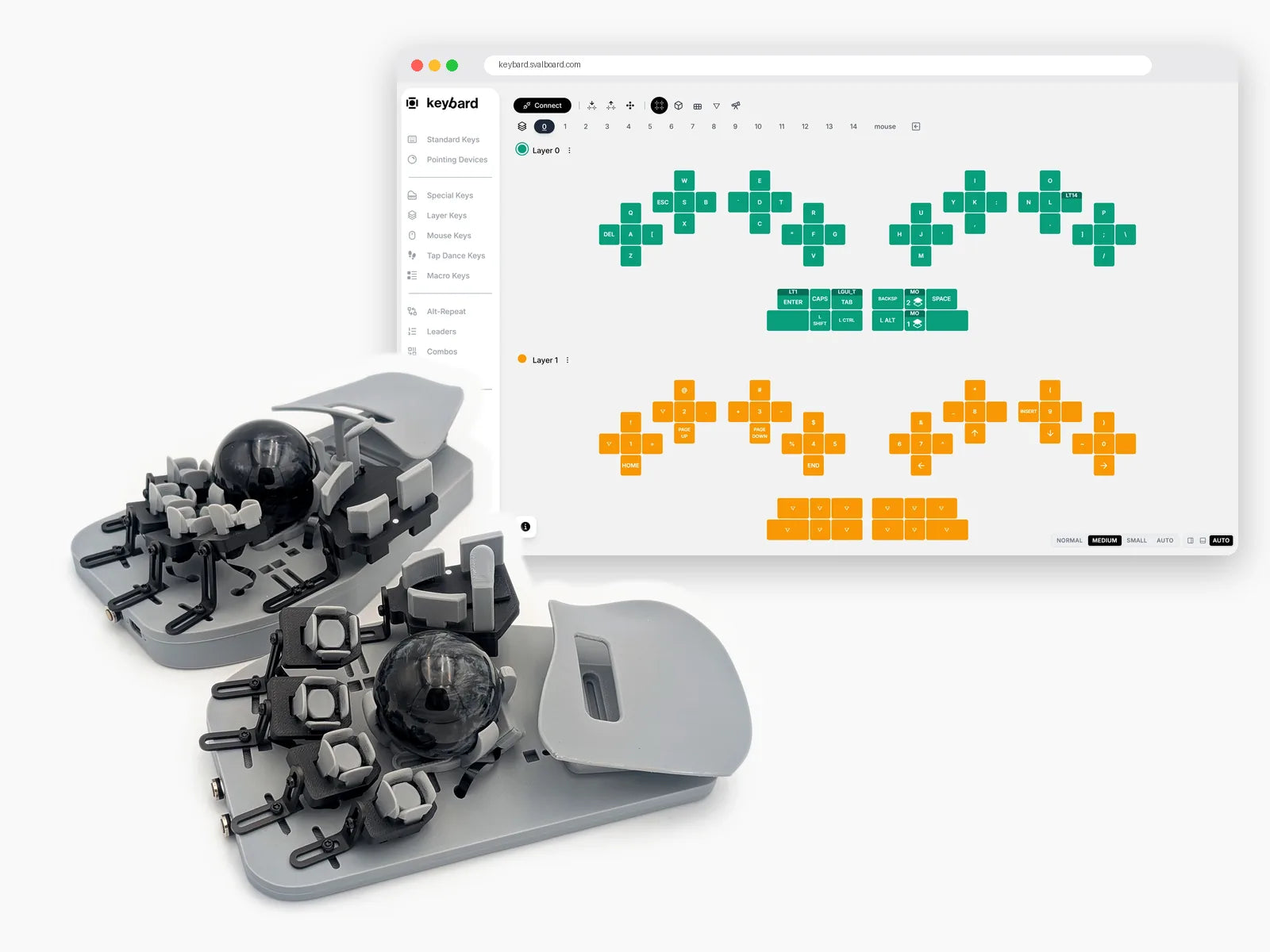
Make Svalboard yours
Three free tools take you from unboxing to full speed: Keybard to set up your layout, Keybard Overlay to see it on screen while you type, and Svalboard Practice to build speed on it. All of them are open source.
Never leave the home row
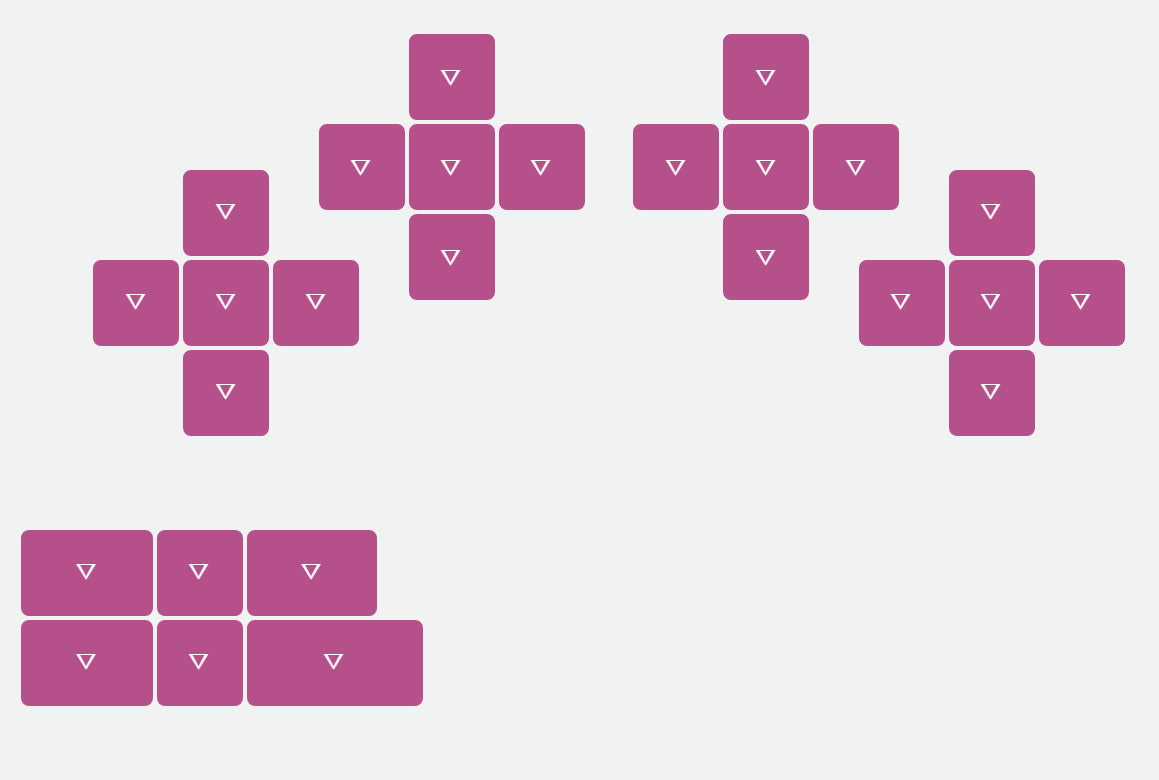
Svalboard brings the keys to your fingertips, turning reaches into small directional movements. Your fingers rest on the center keys. Four other keys sit around each fingertip, so every key is like a home row key.
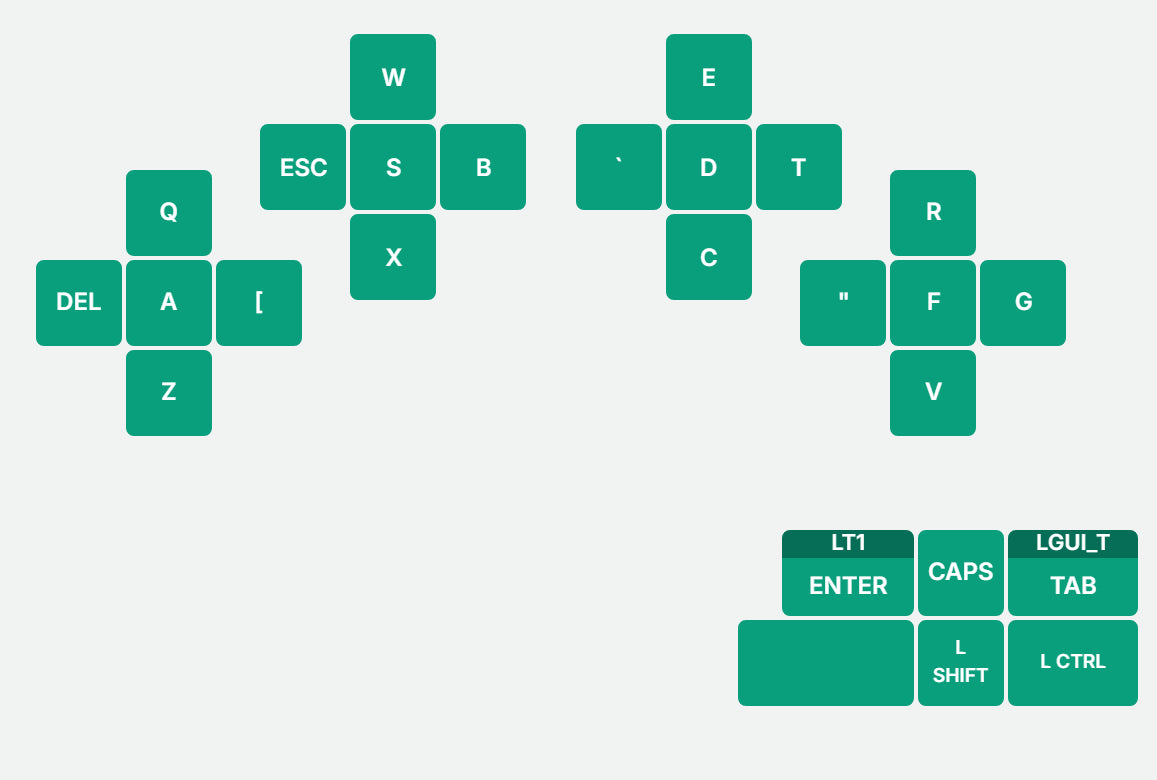
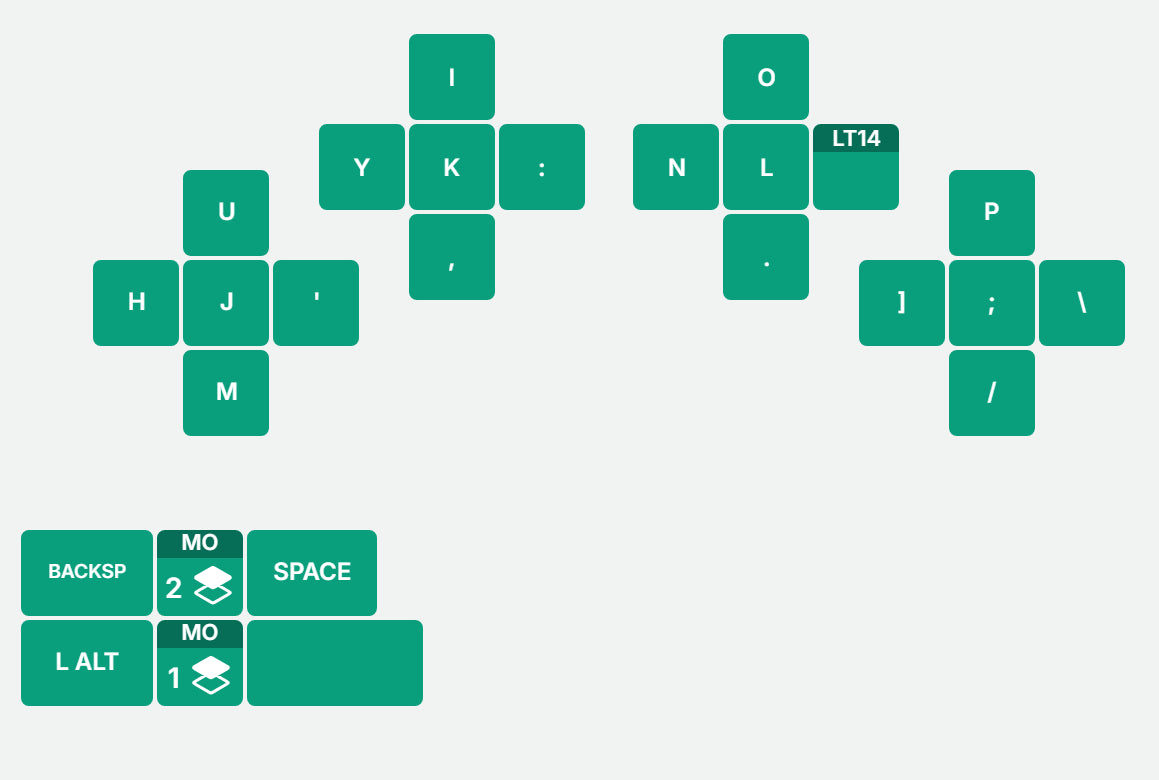
Layer 0 holds the letters in QWERTY, on the fingers you already use, with the home row on the round center keys.
Enter, Space, Backspace, Shift and Tab sit under your thumbs.

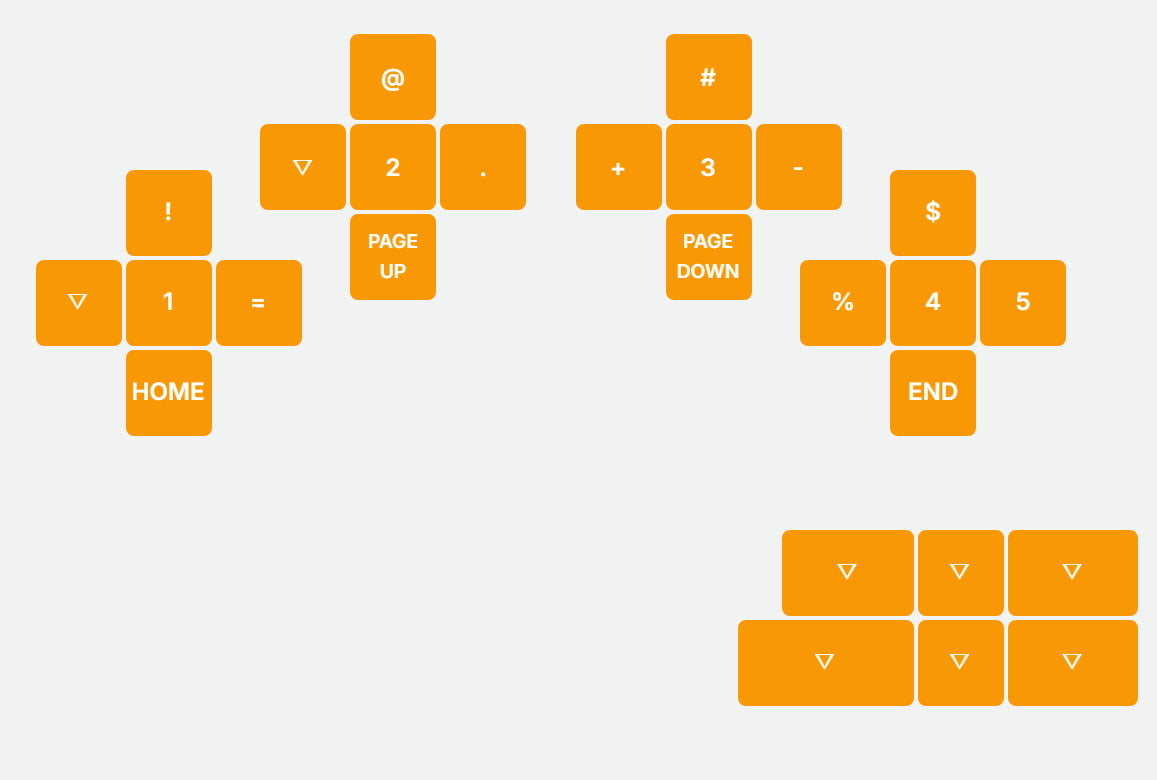
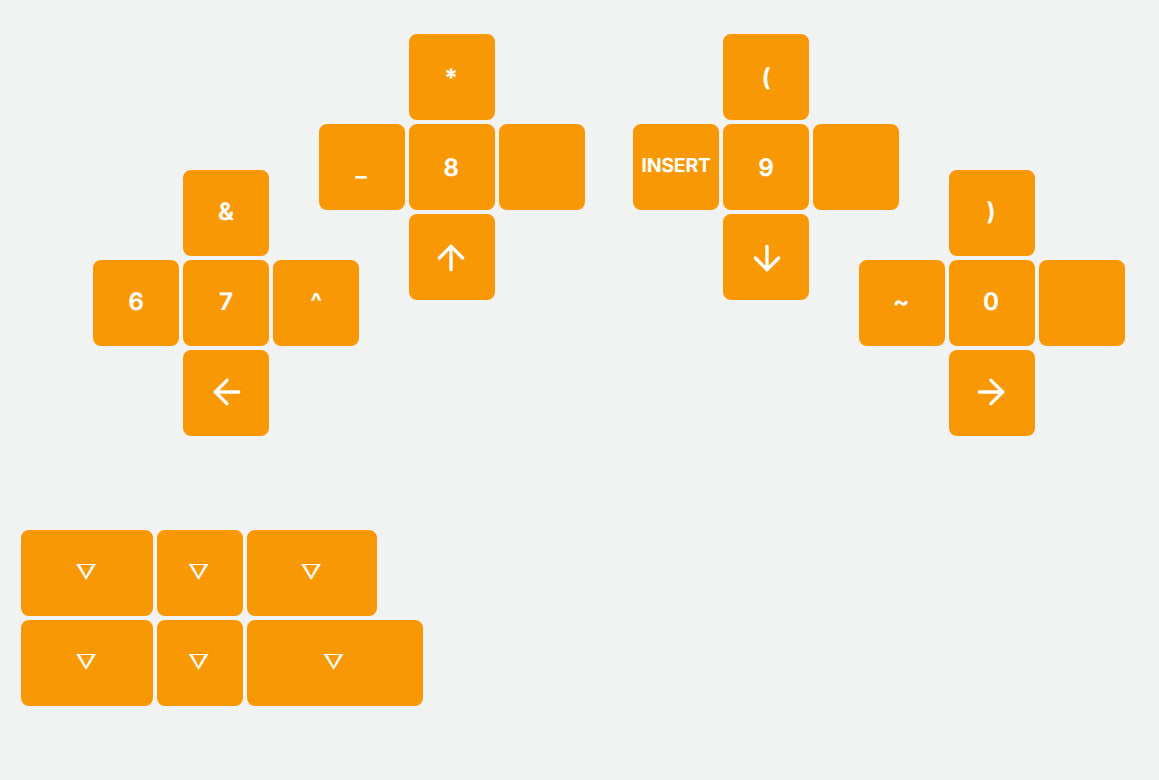
Hold Enter or the Layer 1 thumb key for NavNAS, with numbers on the center keys and symbols right above them.
The arrows are under your right hand, and Home, Page Up, Page Down and End are under your left.

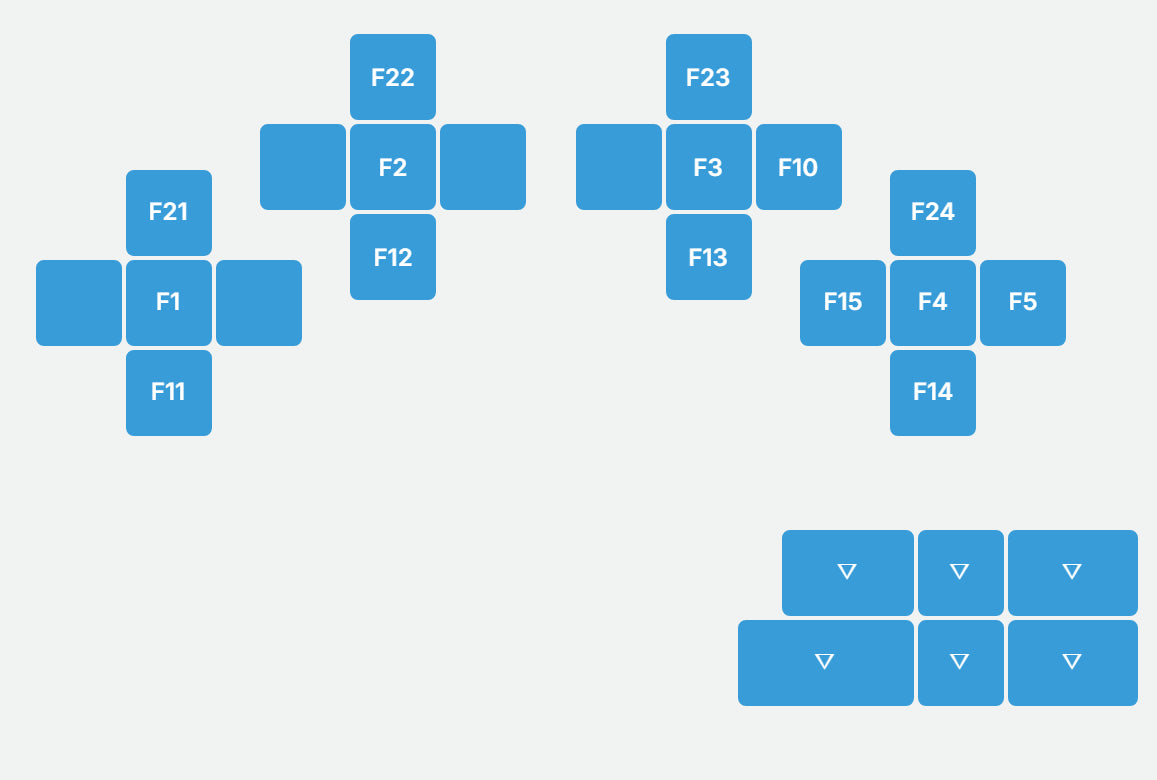
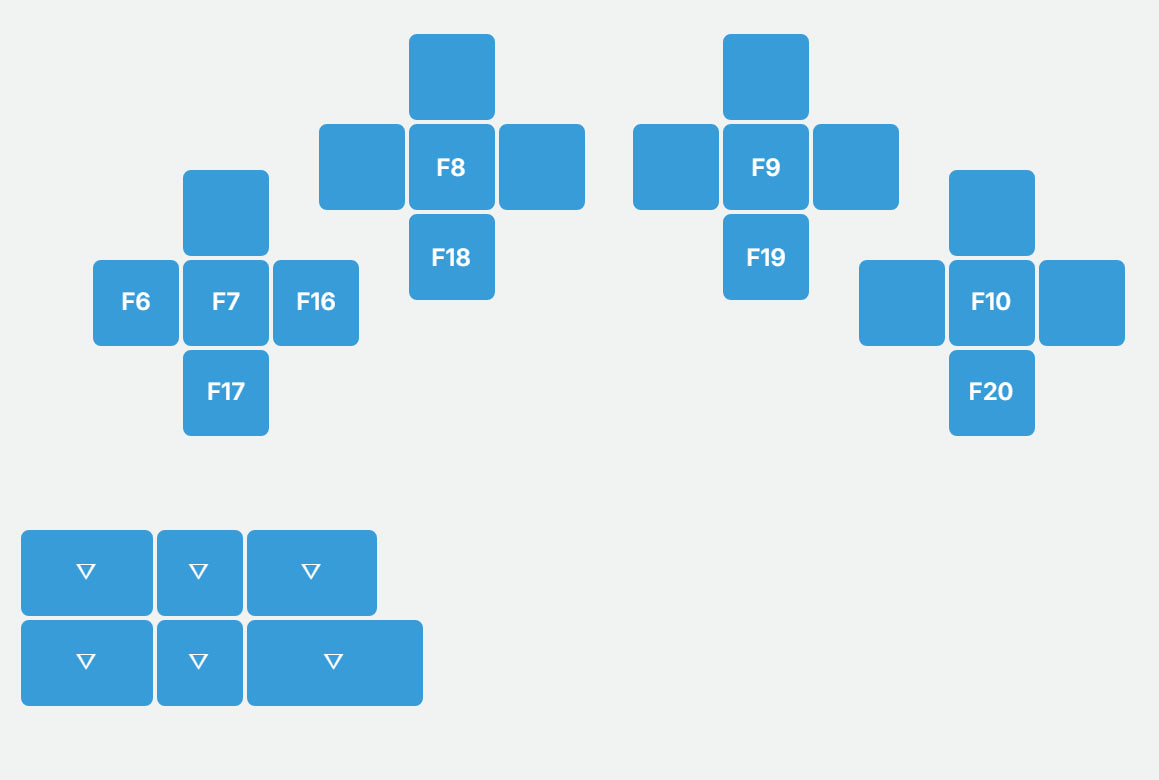
Hold the Layer 2 thumb key for F1 to F24, with F1 to F4 and F7 to F10 on the center keys.

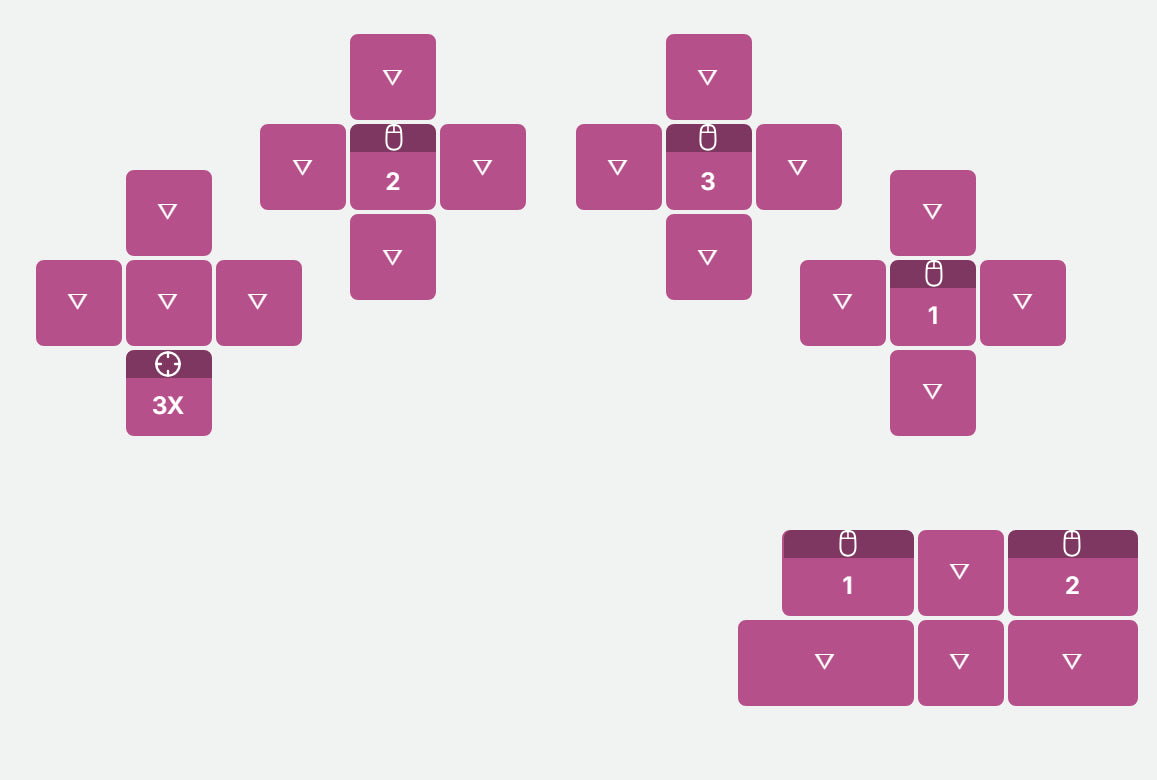
Move the pointer and the Mouse layer turns on by itself, with left, middle and right click on your left index, middle and ring center keys, left and right click under your left thumb, and a 3x sniper key on your left pinky's south key.

More functions within reach
Thumb keys handle common keys and modifiers, giving you access to additional layers and unloading the pinkies. A layer gives the same physical keys another set of actions. Switch layers for numbers, symbols, navigation, F-keys and other functions without reaches.
Start familiar and make it yours
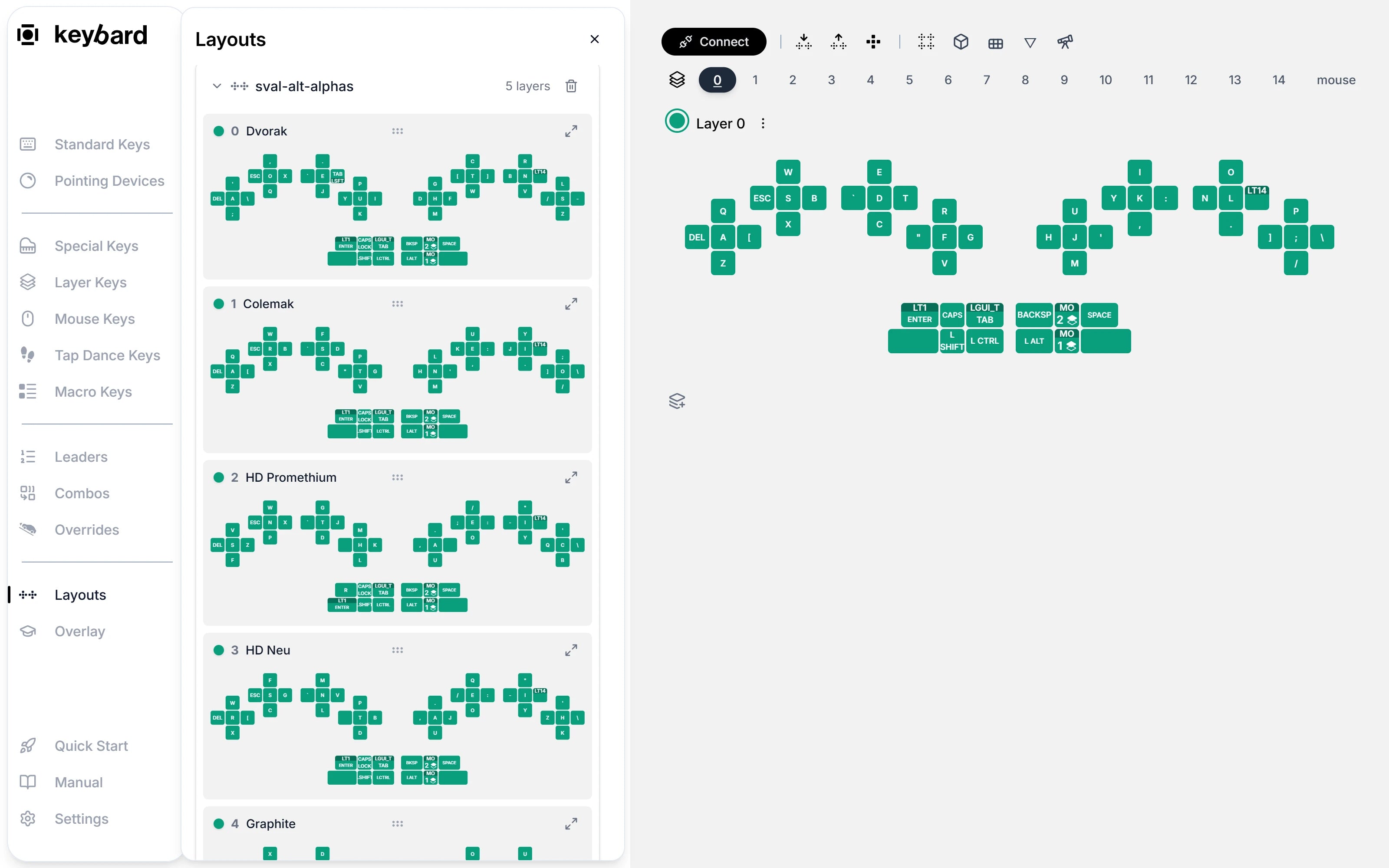
Start from QWERTY, Dvorak or Colemak or other modern layouts, then change what you need in Keybard. Remap a key, adjust pointing, or build shortcuts for the work you do every day.
Keybard
Set up your layout
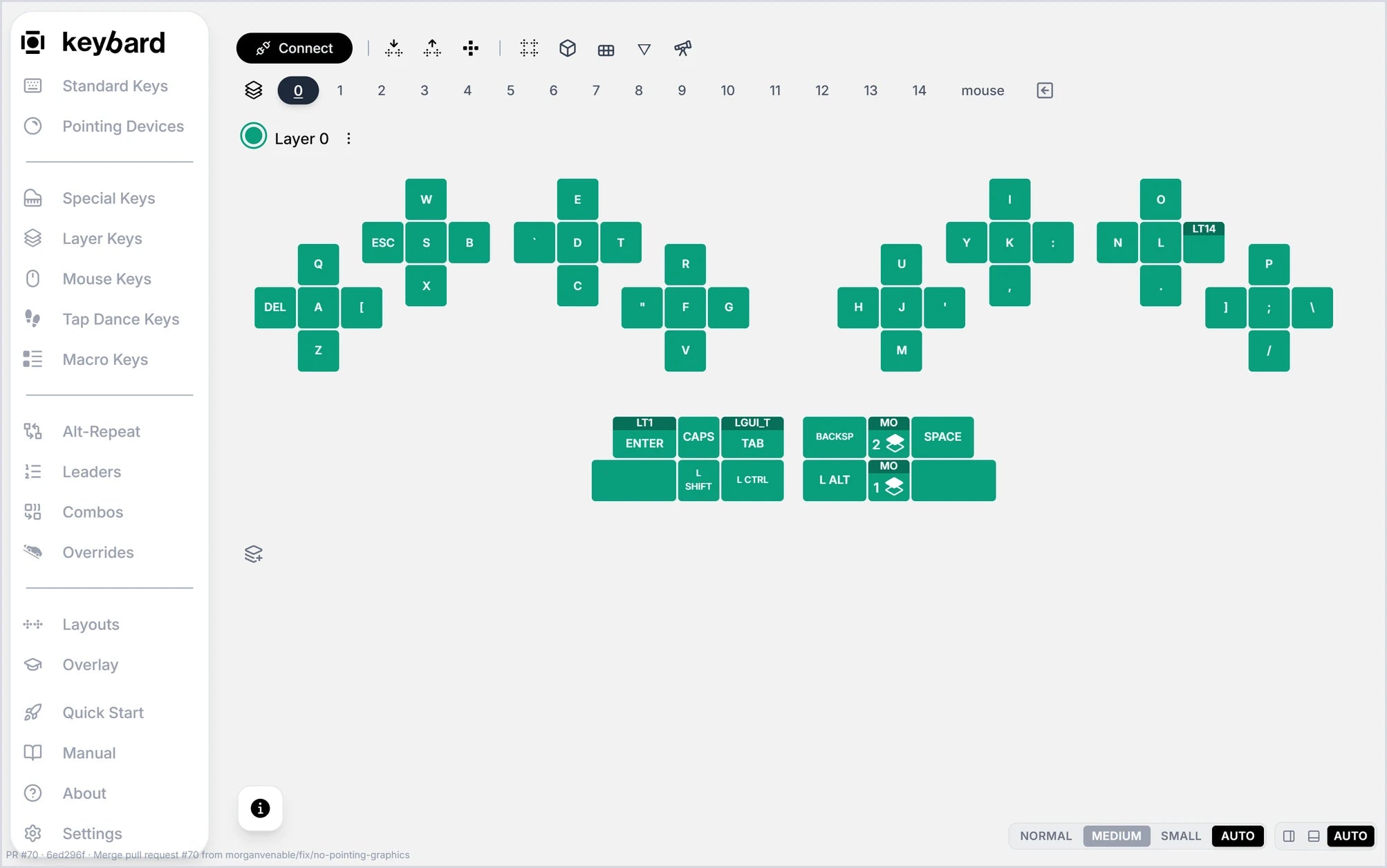
Keybard is the Svalboard configurator, and it runs in your browser. Move any key, build layers, set up combos, tap dances and macros, and tune pointing for each half. Changes save to the keyboard, so your layout goes with it everywhere.
No Svalboard yet? Choose QWERTY Example in Keybard to try it all on a sample layout.
Runs in Chrome, Edge, Brave or Opera · On Windows, macOS, Linux and ChromeOS · Connect by USB
On Linux, add the udev rule from the Svalboard Manual first.
Svalboard Practice
Build speed on your own layout
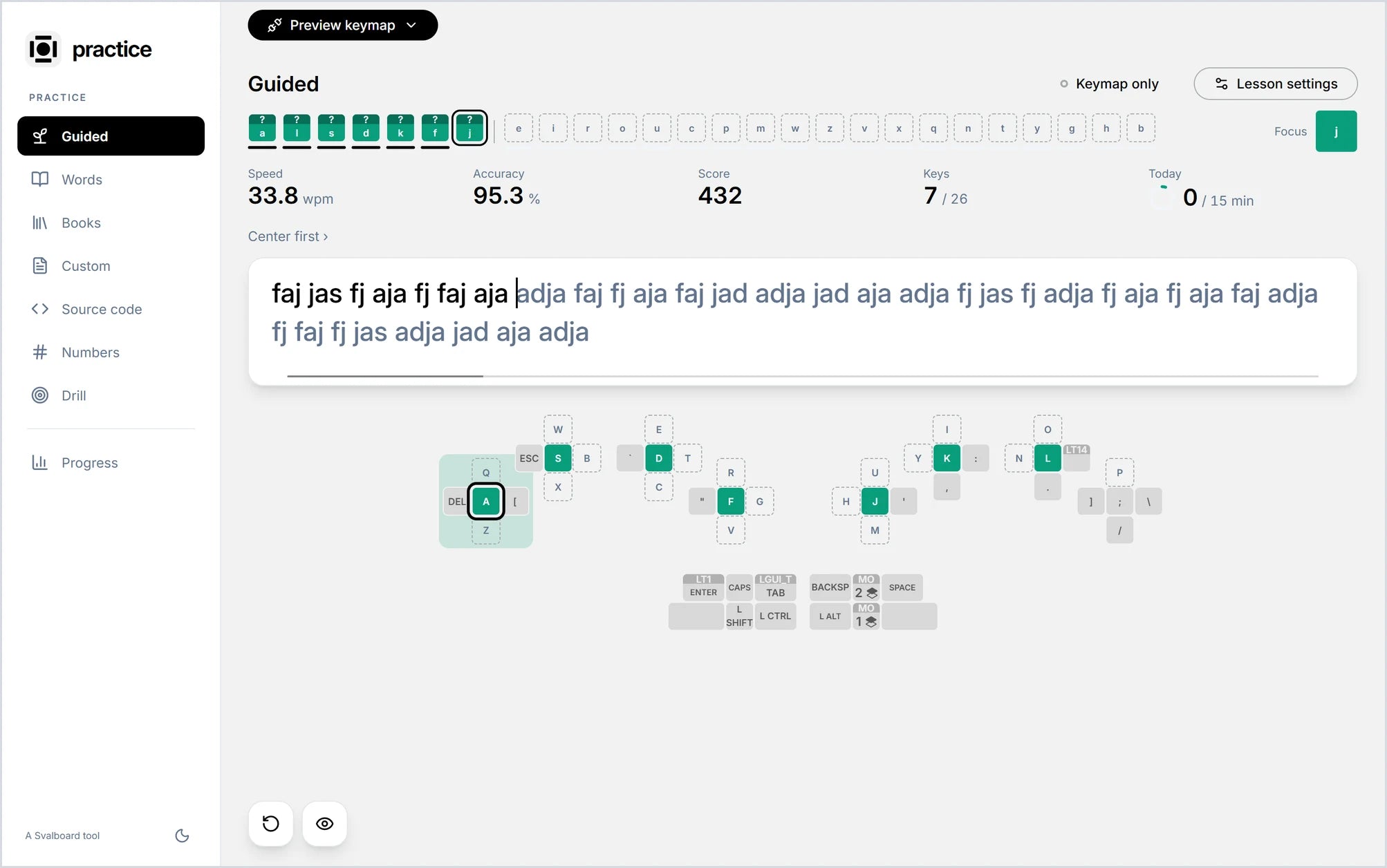
Svalboard Practice is a typing trainer built on Keybard. Connect your Svalboard and it reads your actual layout, so every lesson matches the keys under your fingers, including your own layers.
Start with guided lessons that add keys a few at a time, then move to real words, books, your own text, source code and numbers. Drill the keys that slow you down, and follow your speed and accuracy key by key in Progress.
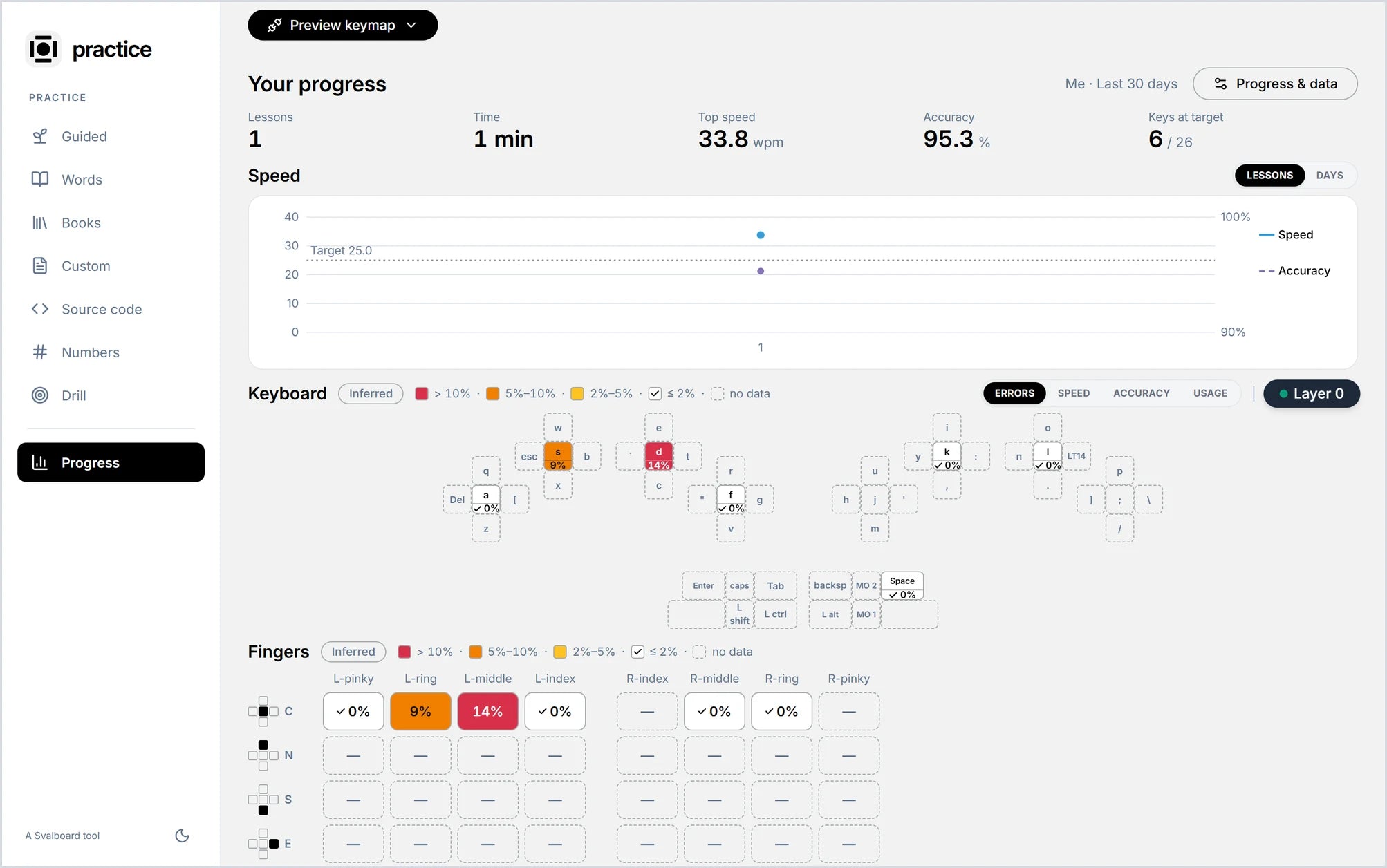
See which keys slow you down
Every lesson adds to your progress: speed and accuracy over time, and a heat map of your own layout that shows errors, speed and usage key by key and finger by finger. Svalboard Practice then drills the keys that need it.
Learn at your own pace
Learning to type with thumb keys and layers takes practice. Start with short, comfortable sessions and build toward everyday use. You can keep using your familiar keyboard as you learn. Join the Discord for community support on your journey.